
Built-in DNS server and Ookla Speedtest server
Two services every ISP needs, already inside Dandy vBNG: a fast DNS cache for your subscribers and an official Ookla Speedtest server on your own network. No extra servers to buy or run.
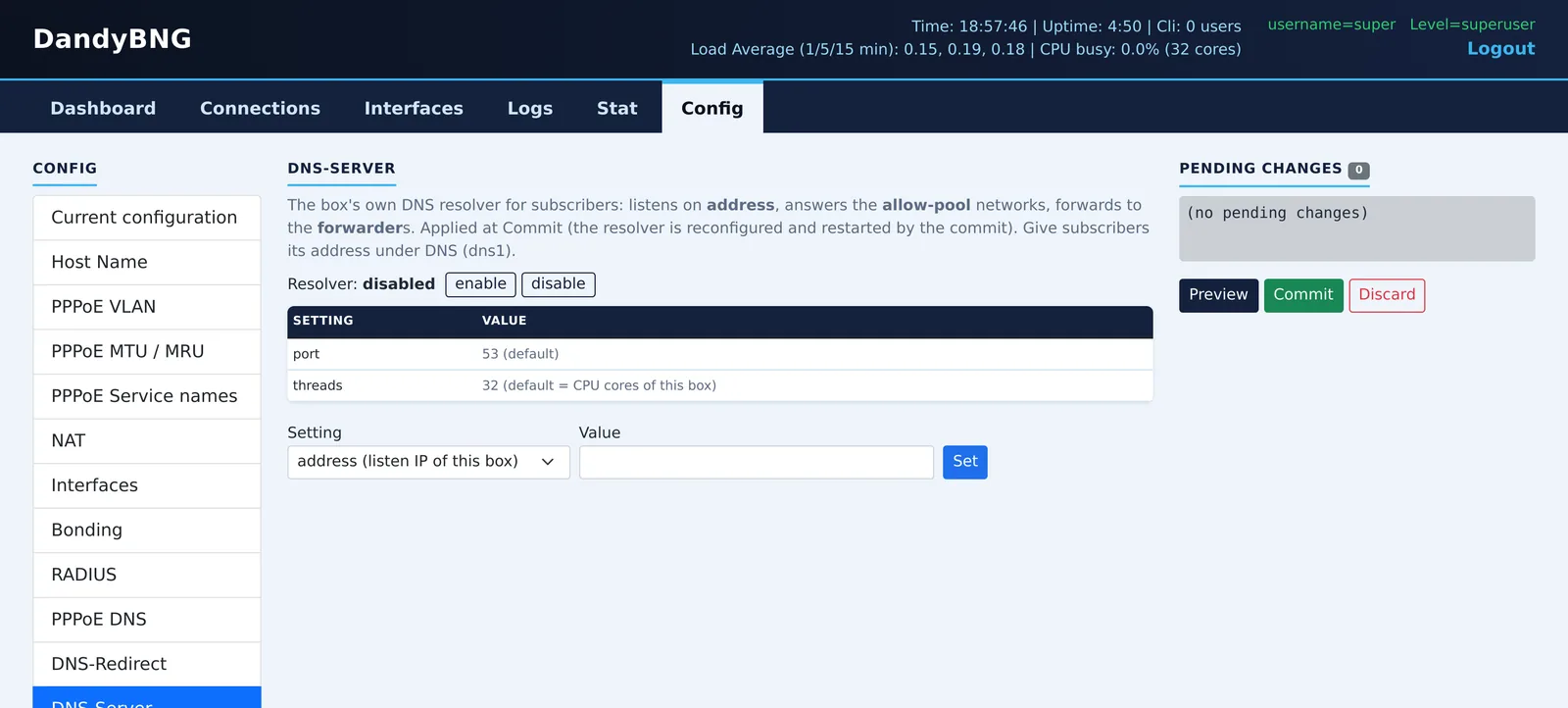
Fast DNS answers from the BNG itself
Every web page starts with DNS lookups. Dandy vBNG has its own DNS cache server, so your subscribers' lookups are answered on the same box they log in through, instead of crossing your upstream to a far-away resolver.
- Faster browsing: repeated names are answered straight from the cache.
- Less upstream traffic and fewer complaints when a public resolver is slow.
- Uses every core: the DNS server runs one thread per CPU core by default.
- Only your subscribers: it answers the subscriber pools you allow, nobody else.
- Your choice of upstream: forward to your central or your provider's resolvers, or resolve directly.
- Handed out at login: PPPoE gives subscribers the BNG's address as their DNS server.
- Optional DNS redirect: send every subscriber DNS query to your resolver, whatever the device is set to. Off until you enable it.
DandyBNG> set system dns enable
DandyBNG> set system dns address 203.0.113.10
DandyBNG> set system dns allow-pool 10.64.0.0/16
DandyBNG> set service pppoe-server dns-servers dns1 203.0.113.10
DandyBNG> commit
Let subscribers test the speed of your network
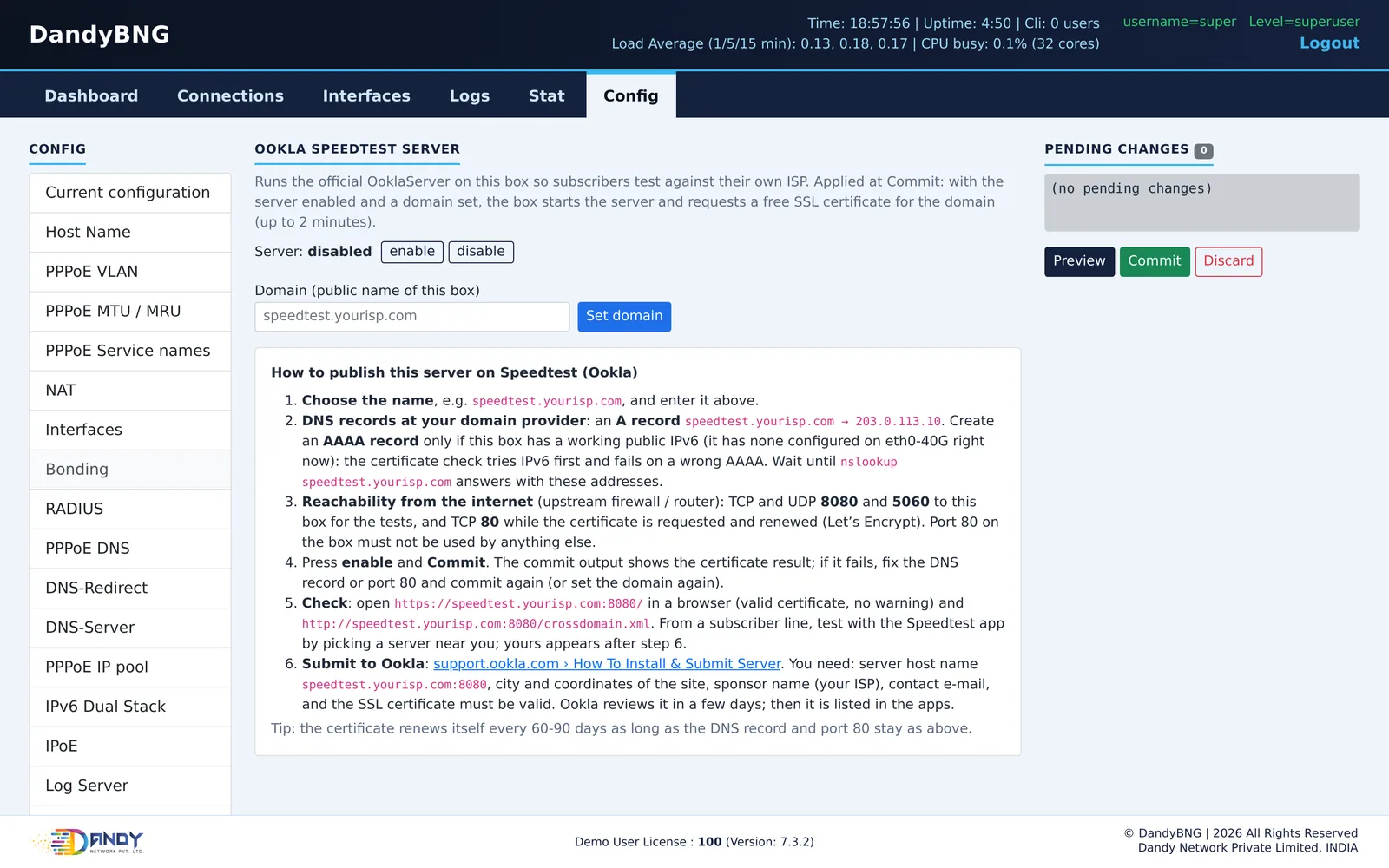
When a subscriber runs Speedtest, the result depends on which server they test against. Dandy vBNG runs the official Ookla Speedtest server software on the BNG, so once Ookla lists your server, subscribers near you can test against your own network instead of a server far away.
- Official Ookla server on the BNG itself, started at every boot.
- Free SSL certificate: give it a name such as
speedtest.yourisp.inand the box requests a Let's Encrypt certificate at commit and renews it by itself. - Step-by-step publishing: the web page lists the DNS record, the ports to open (TCP and UDP 8080 and 5060) and how to submit the server to Ookla.
- Fewer "slow internet" calls: subscribers and your support team see the real speed of the line.
DandyBNG> set system speedtest server enable
DandyBNG> set system speedtest domain speedtest.yourisp.in
DandyBNG> commit
Try it on your own server
Download the ISO, install it on an Intel Xeon server and run up to 100 users on the free demo license. Talk to us for a production license.