
Web portal and CLI
Run Dandy vBNG from the browser or from the command line. Both do the same job: the web Config tab drives the same configuration as the CLI.
Everything your NOC needs, in the browser
Live subscribers, traffic, ports, logs and the full configuration. Click a screenshot to see it full size.
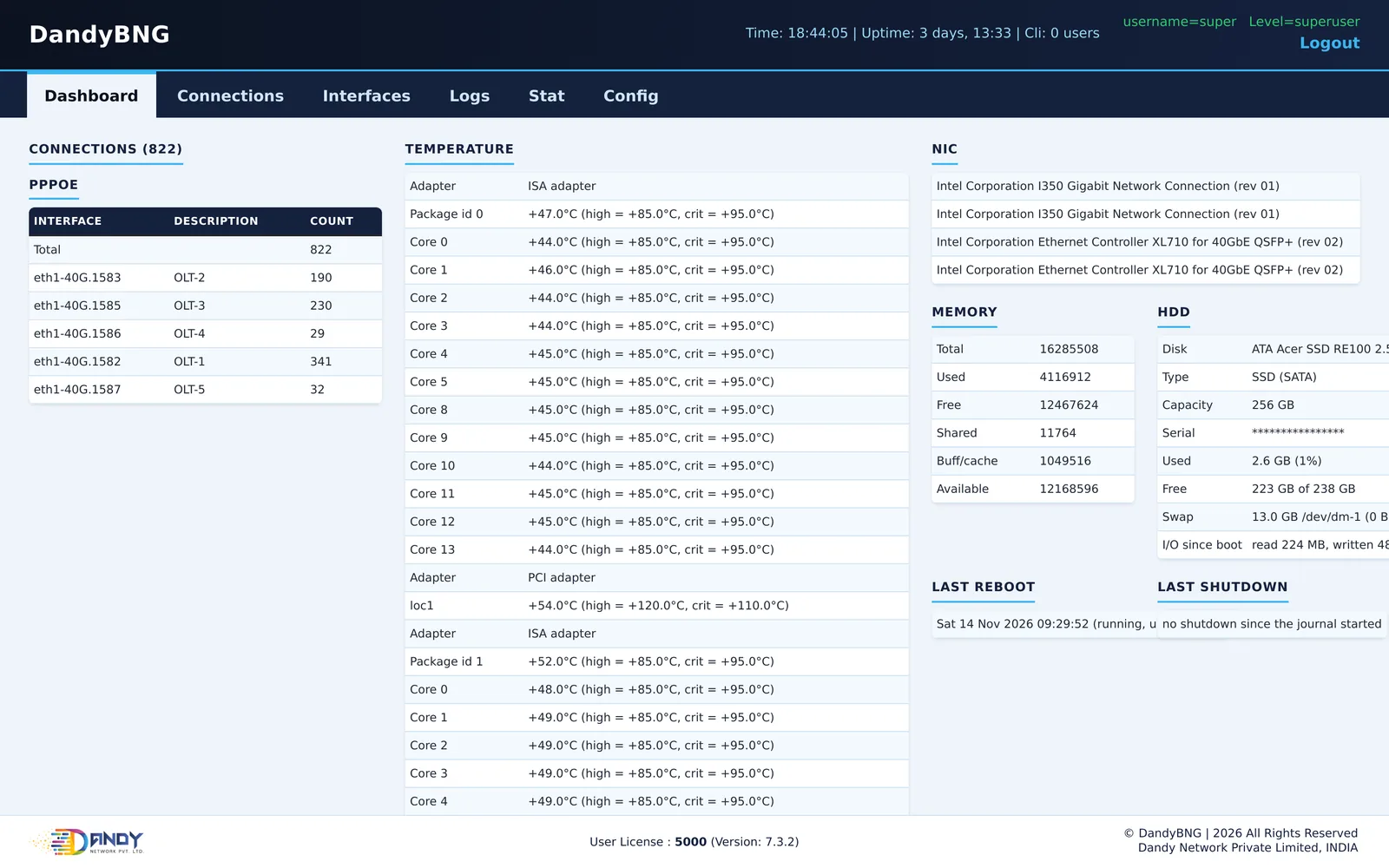
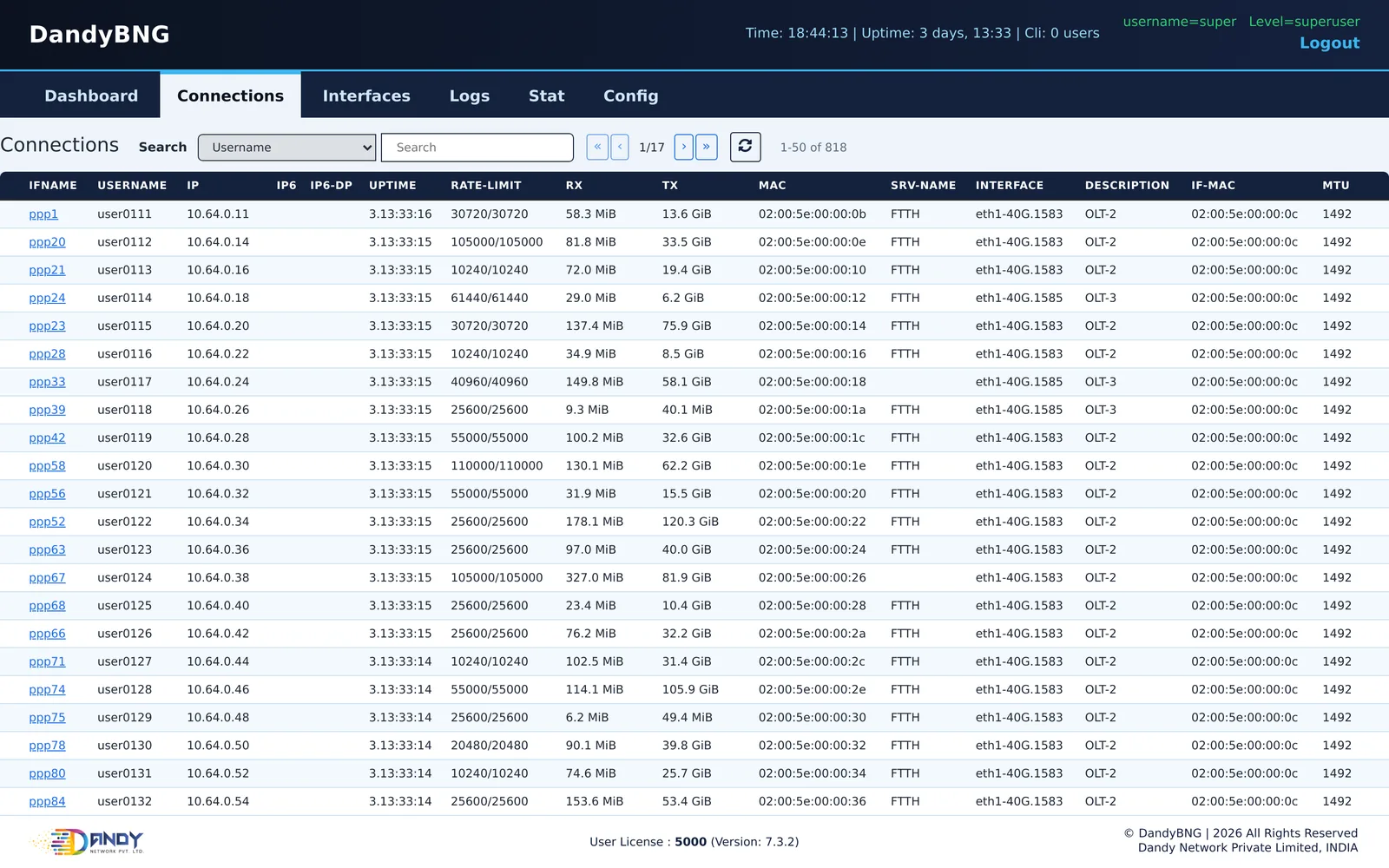
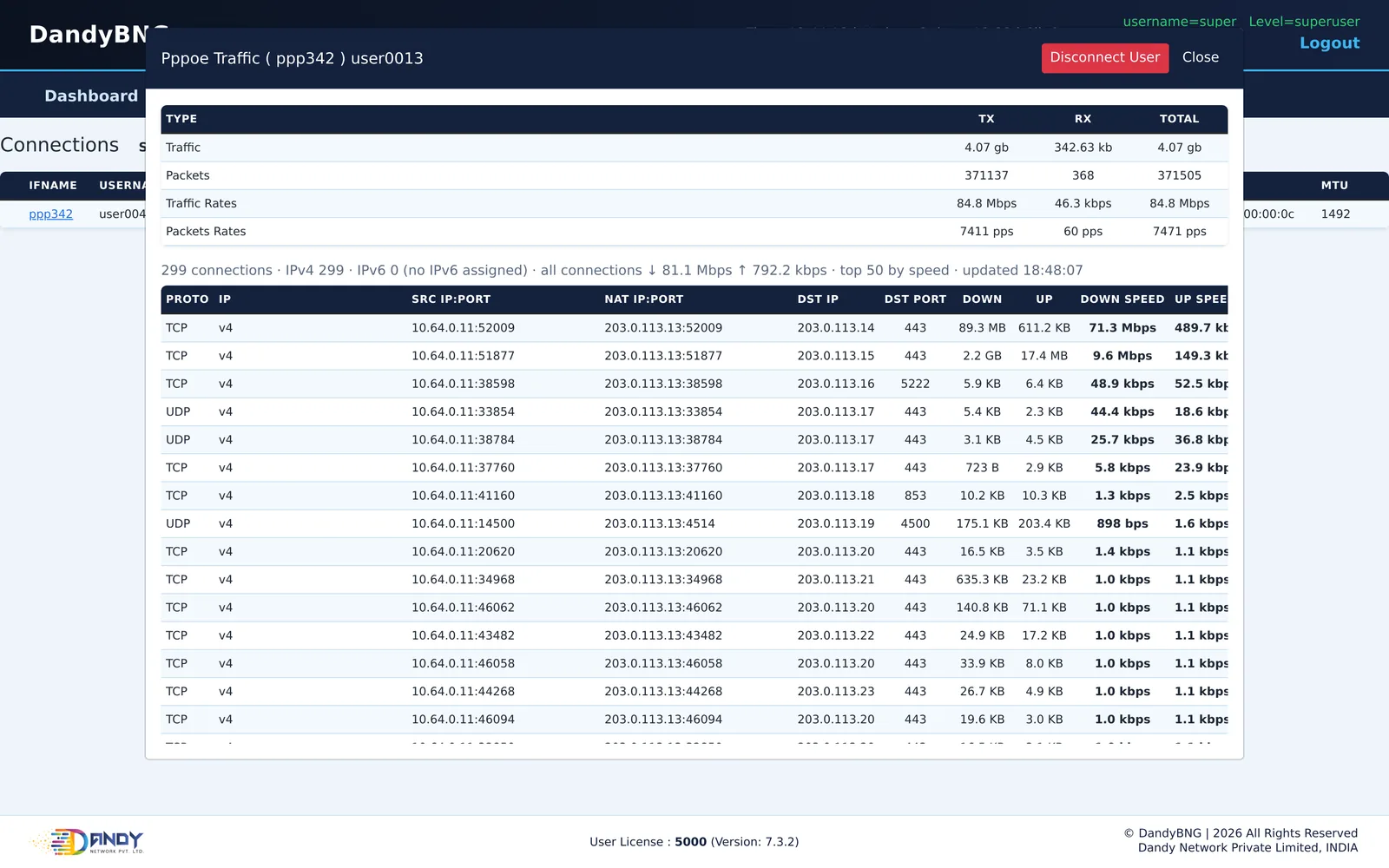
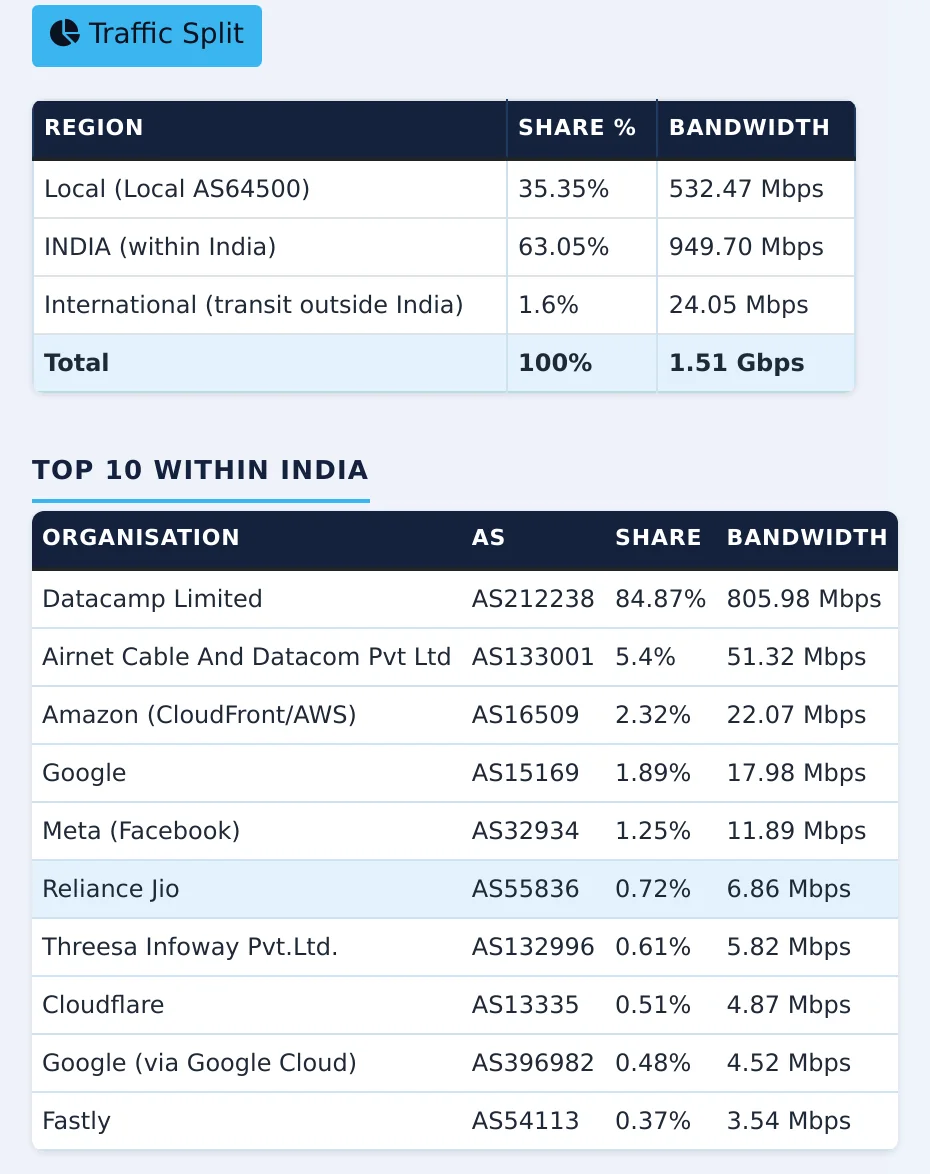
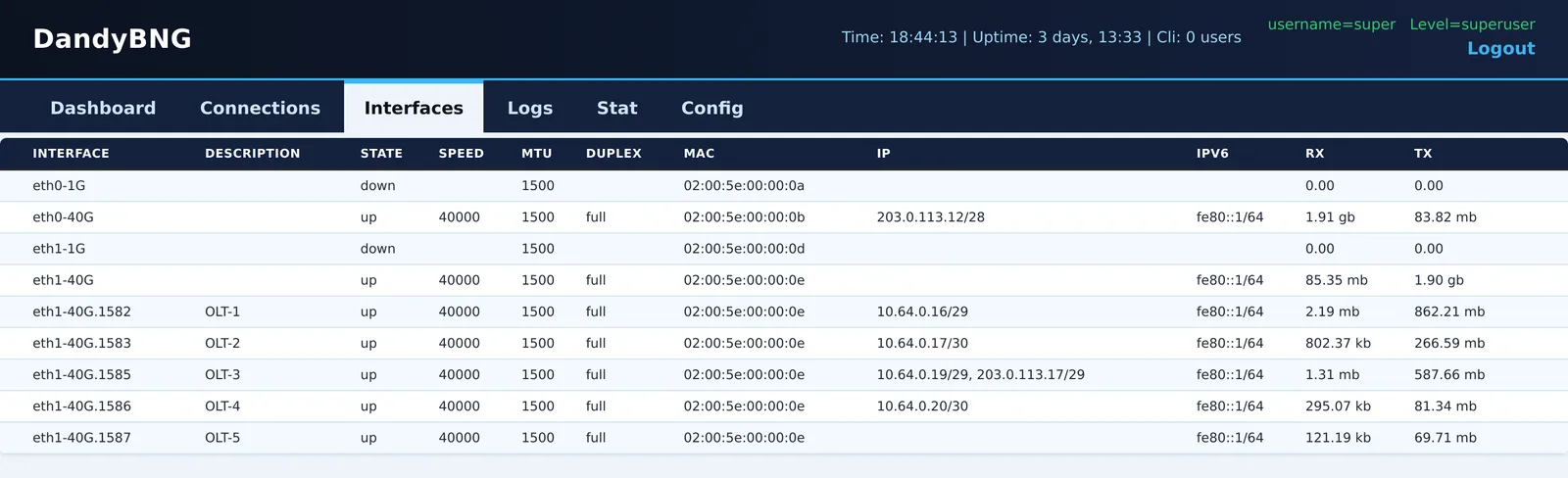
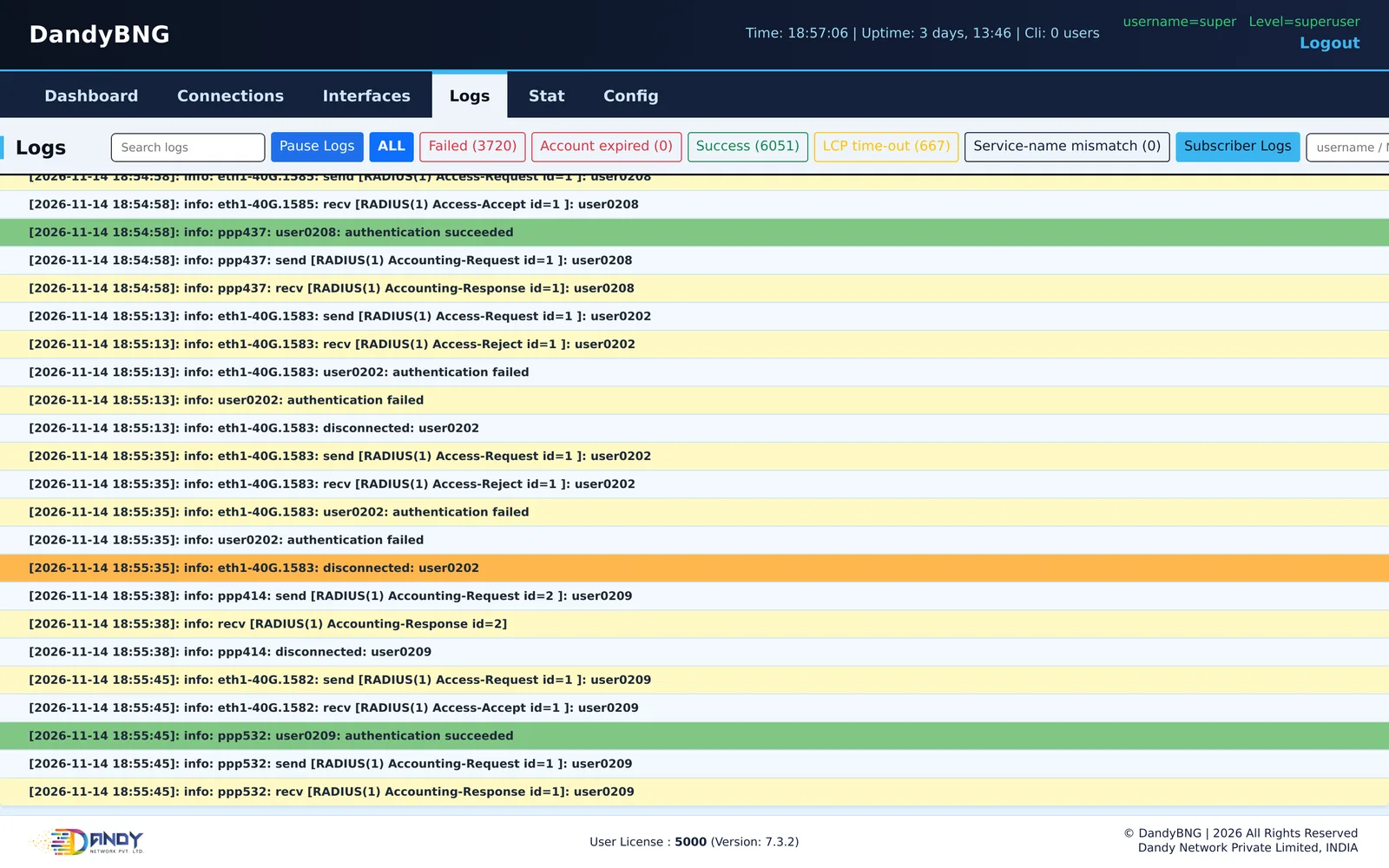
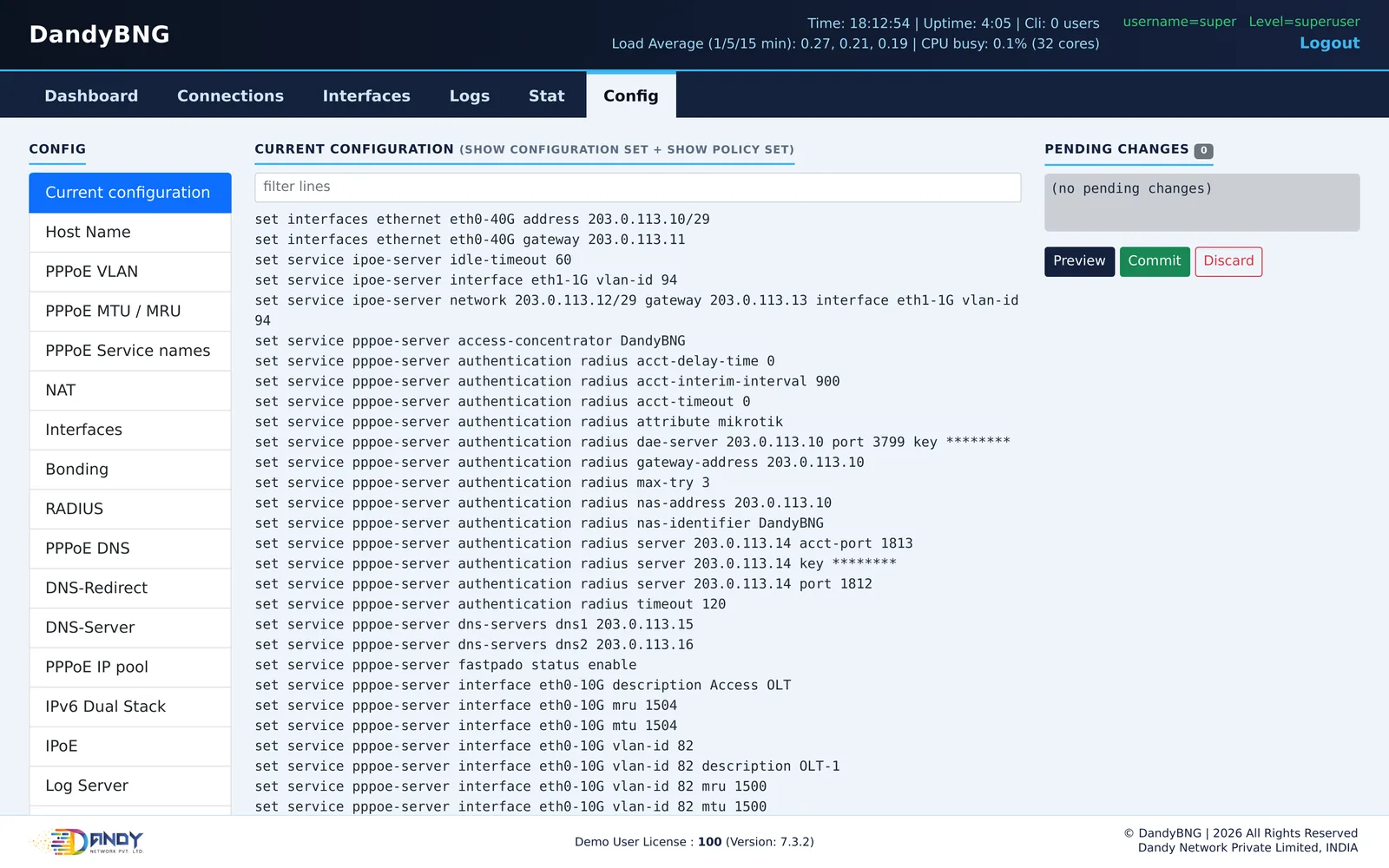
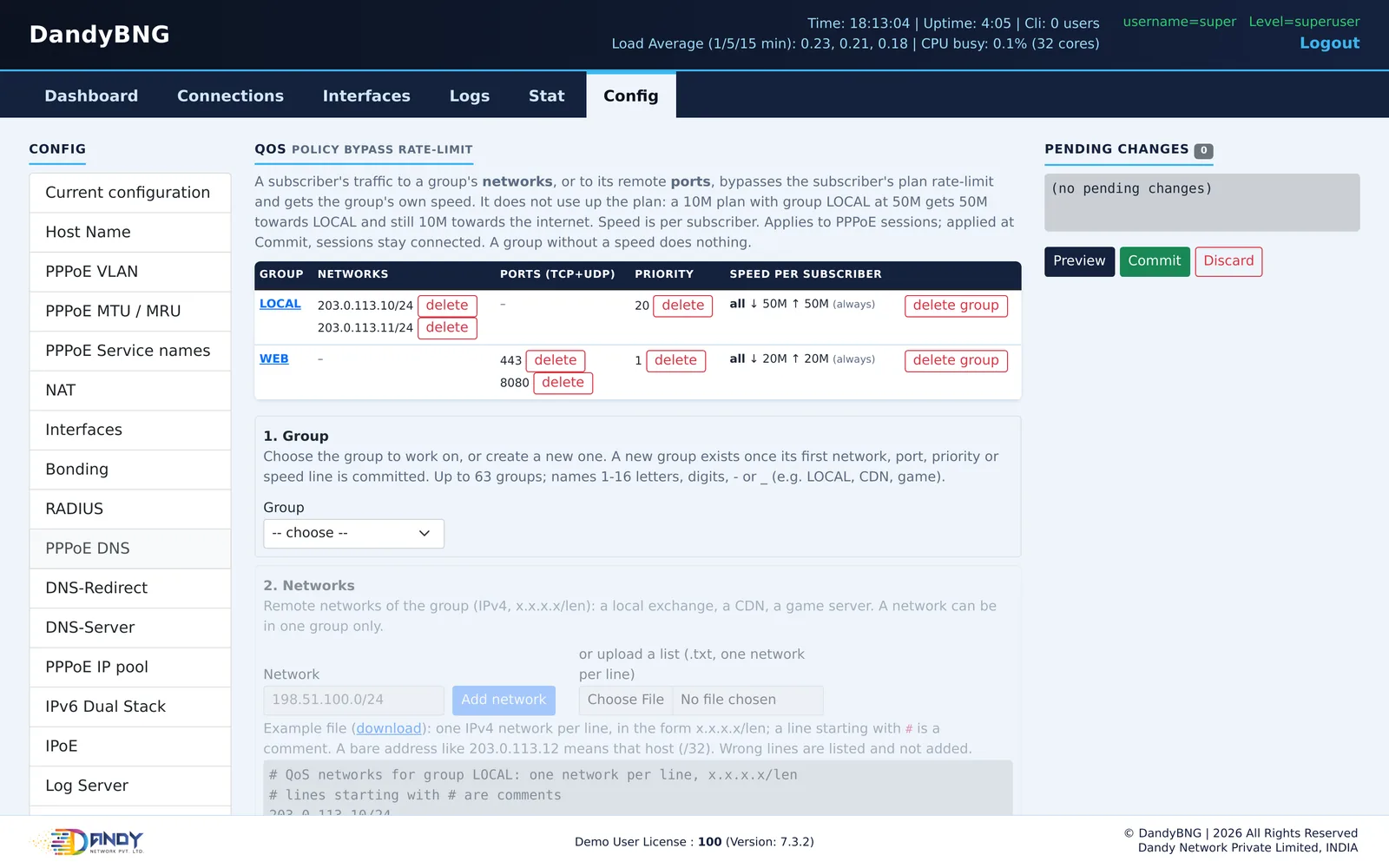
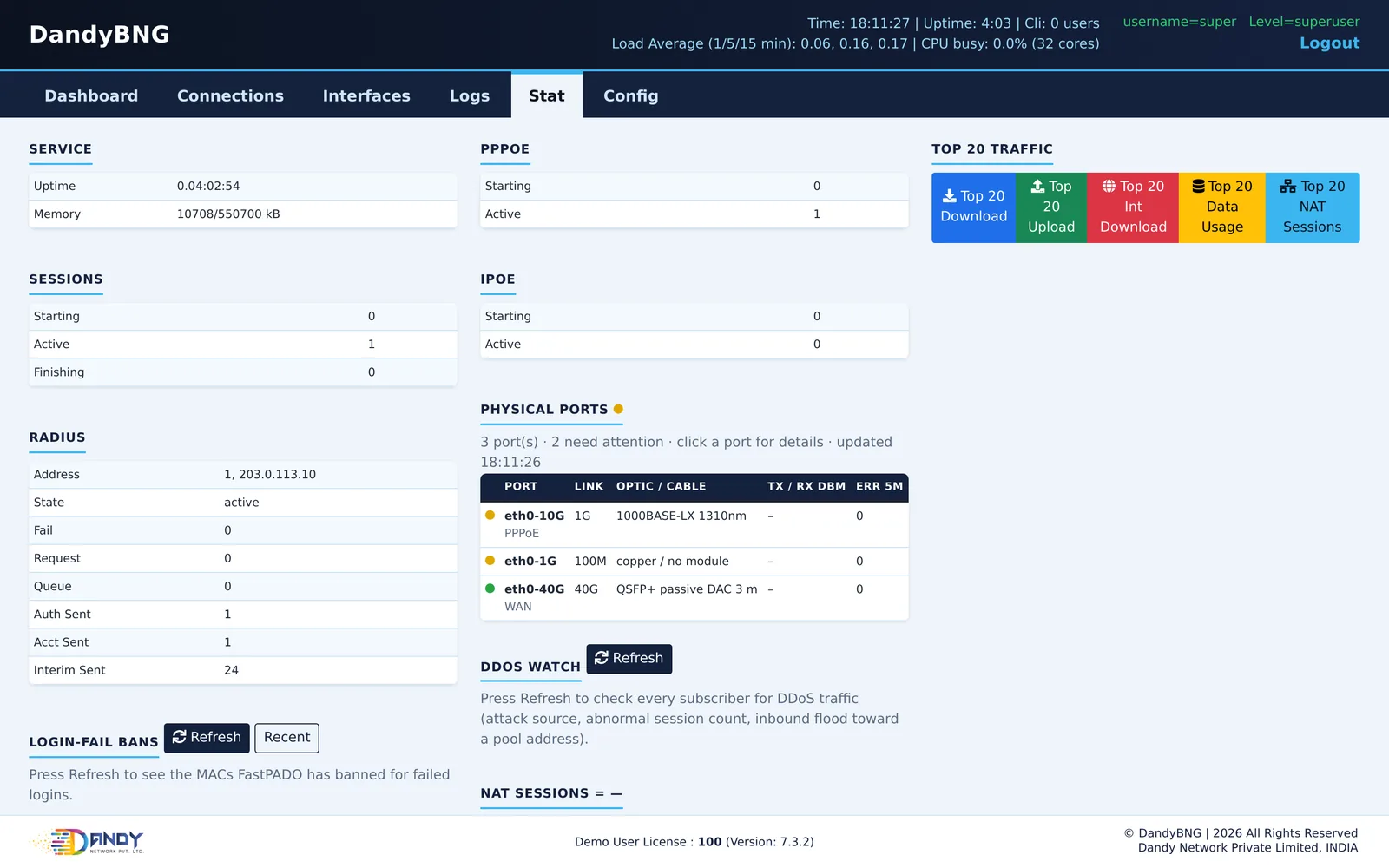
Dashboard, Connections, live traffic, traffic split, Interfaces and Logs are from a DandyBNG V7.3.2 server in production with about 820 subscribers; Config, QoS and Stat from a lab server. User names, site names, addresses, MAC addresses and keys are masked.
Six tabs, three login levels
Dashboard and Connections
Sessions per port and VLAN, hardware state, and every online subscriber with search and disconnect.
Interfaces and Logs
Port state, speed, MTU and traffic. Logs filtered by failed logins, expired accounts, LCP time-outs and service-name mismatches, plus one subscriber's own log.
Stat
RADIUS counters, physical ports with optic details, DDoS watch, NAT sessions, top 20 traffic and the split between local, in-country and international traffic.
Config
Host name, PPPoE VLANs, MTU / MRU, service names, NAT, interfaces, bonding, RADIUS, DNS, IP pools, IPv6, IPoE, log server, SNMP, speedtest, FastPADO, QoS, restart, audit log and system health.
Login levels
Viewer sees the pages, operator can also disconnect and unban, superuser also gets the Config tab. Failed logins lock an address for five minutes.
Audit log
Every configuration change and every restart from the web is recorded with the user who made it.
A command line for every setting
Type a change, preview it, commit it. Every show command answers in plain words. The complete command list is in the user guide.
DandyBNG> show policy qos
qos: active  (2 group(s) with speed; plan is untouched, each group is its own cap)
group LOCAL (id 1): speed all download 50M upload 50M time any
  network: 198.51.100.0/24 198.51.101.0/24
  priority: 20  (lower wins when a network group and a port group both match)
group WEB (id 2): speed all download 20M upload 20M time any
  network: (none)
  port: 443 8080  (TCP+UDP)
  priority: 1  (lower wins when a network group and a port group both match)
DandyBNG> show service pppoe-server service-name
blank service name (global, every port and VLAN): enabled
rules: <name> = only that service name; blank = only devices that send no service name; anyname = everything
eth0-10G vlan 82       accepts: devices that send no service name (blank, global switch), "FTTH"   [FTTH]
DandyBNG> show interfaces
Interface  Description  State  Speed  MTU   Duplex  Mac                IP
-------------------------------------------------------------------------------------
eth0-10G                up     1000   1504  full    02:00:5e:00:00:10
eth0-1G                 up     100    1500  full    02:00:5e:00:00:11
eth0-40G                up     40000  1500  full    02:00:5e:00:00:12  203.0.113.10/29
eth1-10G                down   -1     1500          02:00:5e:00:00:13
Real output from a DandyBNG V7.3.2 lab server, shortened; addresses, MAC addresses and names masked.
Try it on your own server
Download the ISO, install it on an Intel Xeon server and run up to 100 users on the free demo license. Talk to us for a production license.